Variance Analysis
- • This feature allows the user to modify the scheduled estimates for operations by using actual data collected from the Operators on the shop floor.
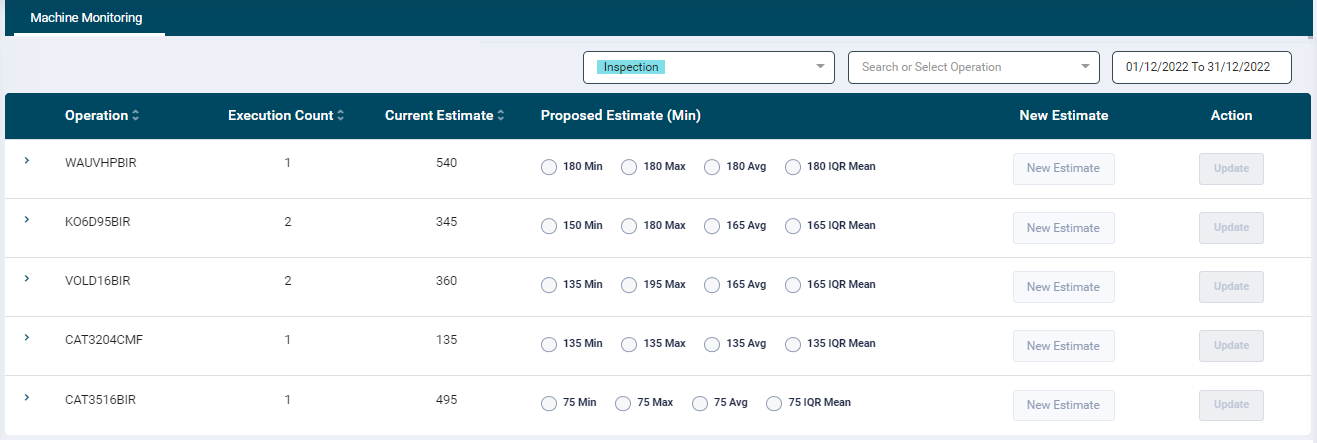
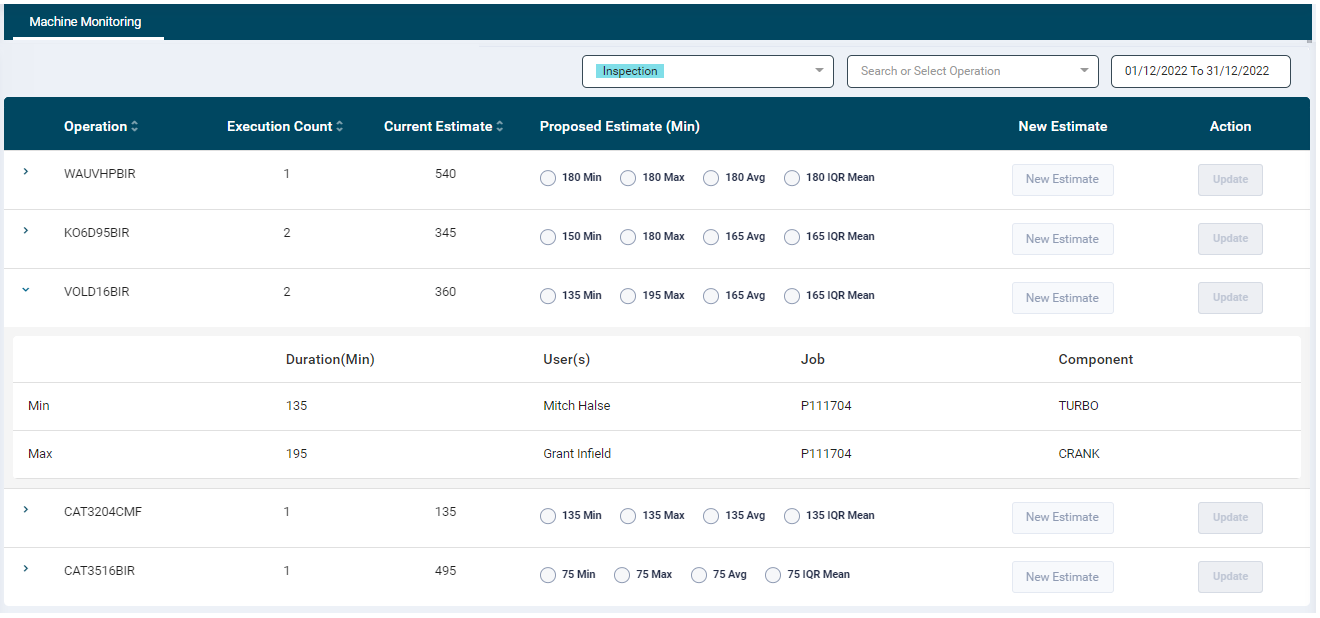
- The user can filter the data from the Date picker option on the top right-hand side. by default it displays current month.
- Users can select whether they want to look at the operation level variance analysis or the Job Template level variance analysis
-
If they select the Operation level variance analysis then the following information is displayed in the table:
- Operation: Displays all the operation names configured for the department. Users can sort this list by using the toggles provided on the column heading.
- Execution Count: Displays the number of times that operation was completed during the selected date range
- Current Estimate: Displays the current estimated duration for that operation
- Proposed Estimate: There are Minimum, Maximum, Average, Interquartile Range Mean radio buttons. Select any one option and the value will be displayed in the New Estimate text box
- The Minimum is the lowest duration that was recorded for completing that operation
- The Maximum is the highest duration that was recorded for completing that operation
- The Average is the average duration of all executed operations within the date range selected
- The Interquartile Range Mean is the average of the first quarter value and third quarter value
- New Estimate: The user can optionally enter a numeric value in this text box to provide an updated new estimated time for that operation
- Action: Click the Update button to save the update specified from the Proposed Estimate or New Estimate fields
-
If Users select the Job Template level Variance Analysis, then instead of the operation level duration and current estimate they will get the current estimate and actual duration for Job Templates.
- The execution count is how many times the Job Template has been completed
- The Current estimate is the total duration currently estimated for the Job Template
- Min is the minimum duration of time that Job Template has been completed in
- Max is the maximum duration of time that Job Template has been completed in
- Avg is the average duration of time that Job Template has been completed in
- IQR Mean is the first quarter value and third quarter value average duration that Job Template has been completed in
- Upon clicking update, the new operation estimate will be taken for operations in scheduling