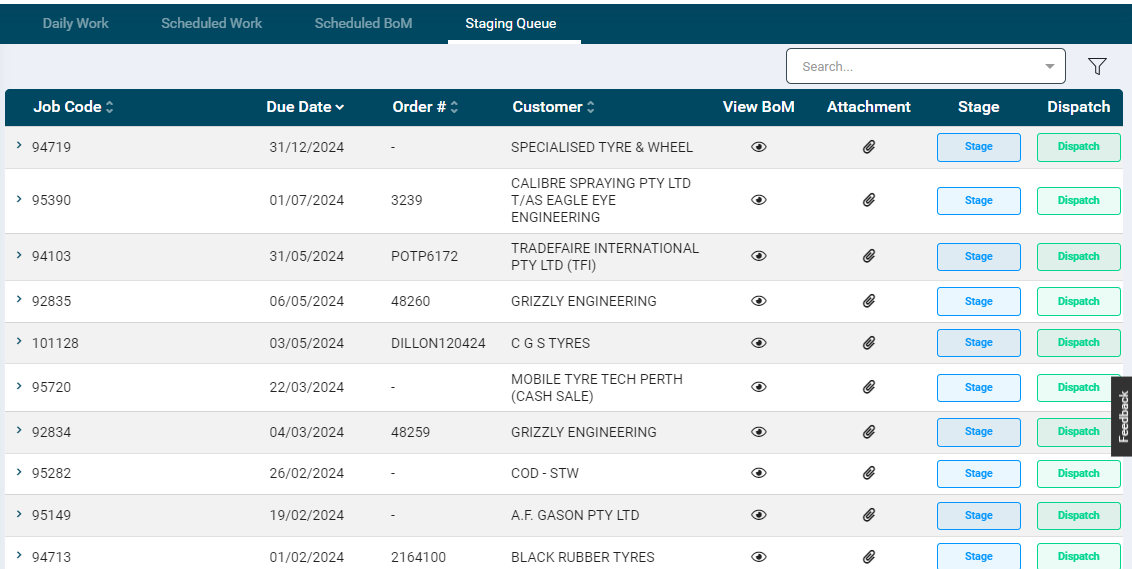
This sections displays components which are ready for Staging and Dispatch
This includes components for which all the operations are Completed
it will show the job which has a Component status Completed
Once all the component of the job is staged and Dispatched it will not show the job in staging Queue
The table grid displays the following information:
Job Code
Order No
Customer
Component: This column is displayed when the staging and dispatch is at component level.
Due Date (of the component)
View BoM : Clicking on the View icon under View BoM column will show the BoM attached to the Job.
Attachment: Uploading files by clicking on attachment icon against the job it will show that attachment uploaded in the job view
Stage: Allows the user to move the component/job status to staging. When it is clicked, the staging process gets completed and a Dispatch button will be enabled.
Dispatch: When Dispatch is clicked the process will end. The record will be removed from the grid and the job will get closed automatically.
Stage and Dispatch
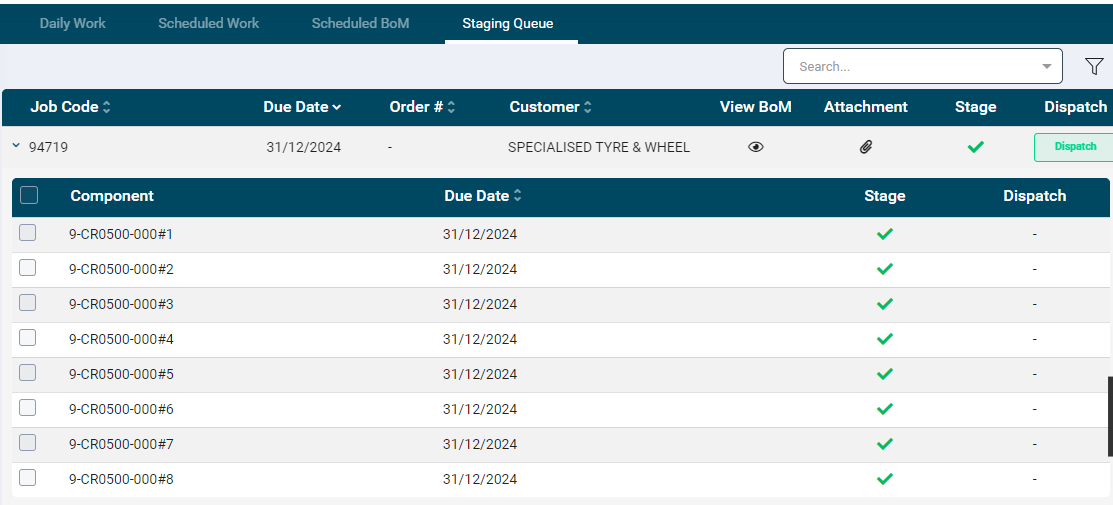
To stage a job, click on the expand arrow provided in front of each job record.
On click a the row will expand to display the following information:
Component: This column is displayed when the staging and dispatch is at component level.
Due Date (of the component)
Click the checkbox of the required components or the one on the column header to select all the components at once.
Click the Stage button. A tick mark will be displayed for the components that are staged.
When all the components of a job are staged, the listing grid will display a tick mark under the Stage column for the relevant records.
To Dispatch job, follow the same steps as mentioned for staging.
On the Jobs page, while ending a job, if the staging and dispatch are not complete a notification is displayed for the same.
On Job Tracking, the View Details page of a job will display a Stage and Dispatch information along with the timestamp.