Scheduled BoM
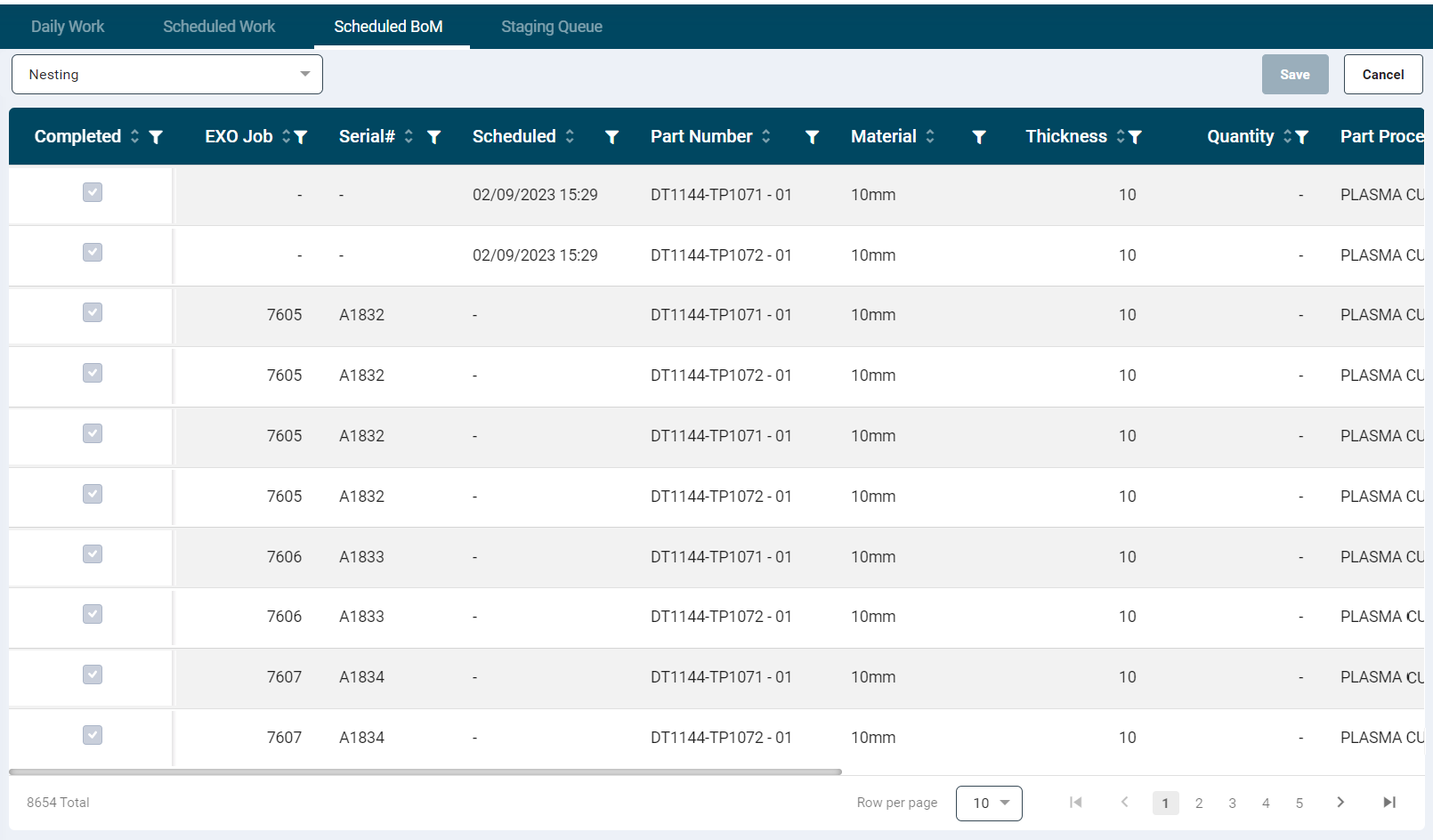
- This section contains a list of Bill of Material (BoM) items for reference.
- A Component dropdown displays all unique component names.
- The listing grid provides the following information. Each column can be filtered and/ sorted as required.
- Completed
- EXO Job
- Serial#
- Scheduled
- Part Number
- Material
- Thickness
- Qty
- Qty to be Nested
- Part Process
- Description
- Users can single select a value from the Component dropdown, and the record is populated accordingly based on the attached BoM document.
- Completed items are marked with a tick in the checkbox.
- To complete a record, users can click the checkbox, and then click Save.
- The checkbox for completed items is disabled, preventing users from undoing completed items.
- When selecting multiple items and clicking Save, all selected items will be marked as completed.