Operational Activity
- This section allows the user to define various uptime and downtime statuses for the work centres.
- Navigate to Configuration → Category → Operational Activity.
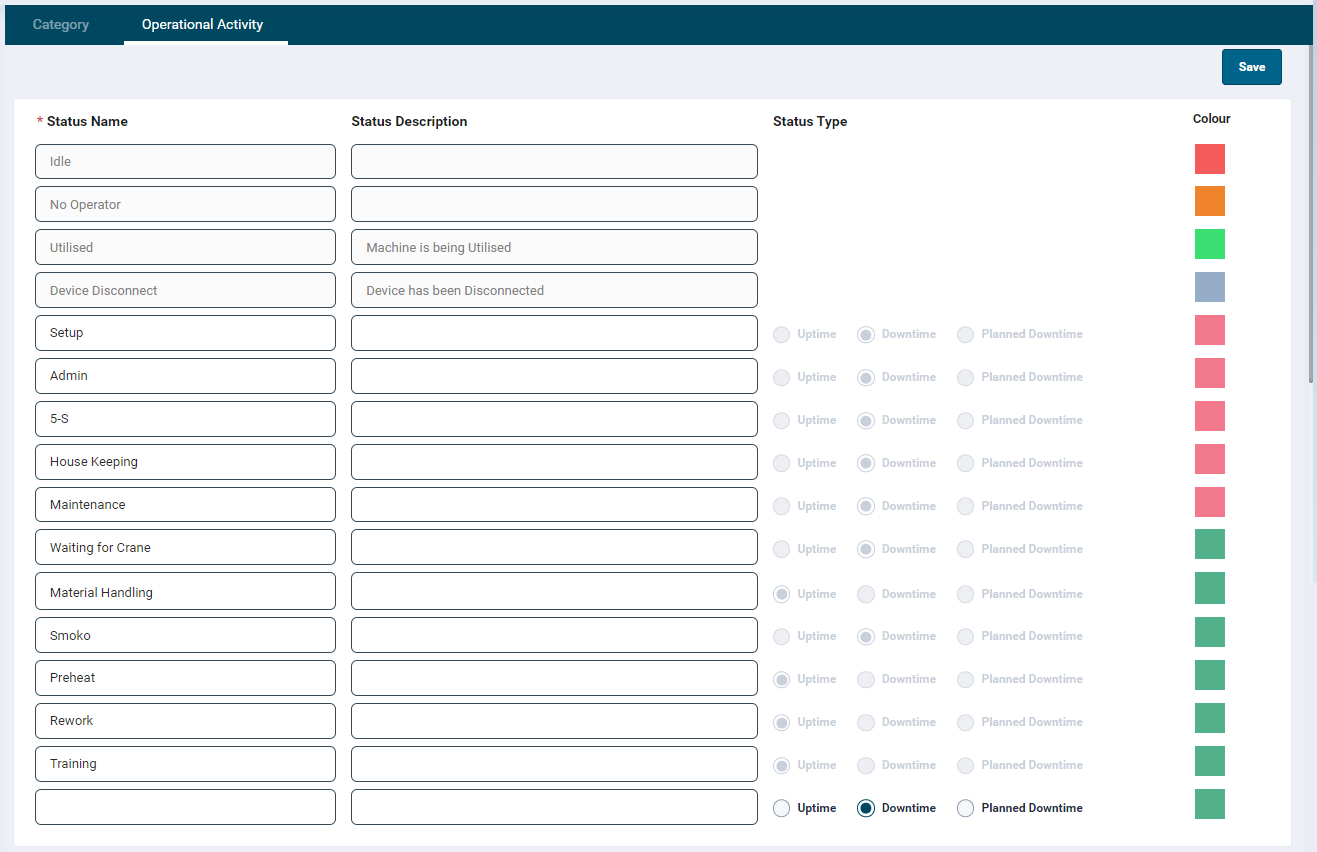
Add a Status
There are default statuses available for the user which are non-editable.
- To add new statuses, enter a name in the Status Name field.
- Add a description if required.
- Associate an Uptime, Downtime or Planned Downtime operational status.
- Uptime will be added to the job duration as billable hours to the client. This will be included in labour hours when sending back timesheet information to the ERP if set up.
- Downtime is any time that is a cost of doing business or an operational loss. These are collected and presented on dashboards for continuous improvement of reason codes
- To assign a colour, click the colour picker and select a required colour or enter a colour hex code.
- Click on the Save button on the top right-hand side of the screen.
These operational statuses will have an effect on the Utilisation and OEE calculation. Any status being configured with “Planned Downtime” would be considered as Downtime.
Edit a Status
The user can edit all fields and also delete statuses if necessary.
If deletion occurs all previous records will still keep their status name.