Job Board
- The Job Board presents a list of jobs categorised by departments along with their respective components and operations. It aims to present users with an overview of how a job is progressing by displaying the relevant departments, their components and operations status and showing all completed components of a job.
Data table
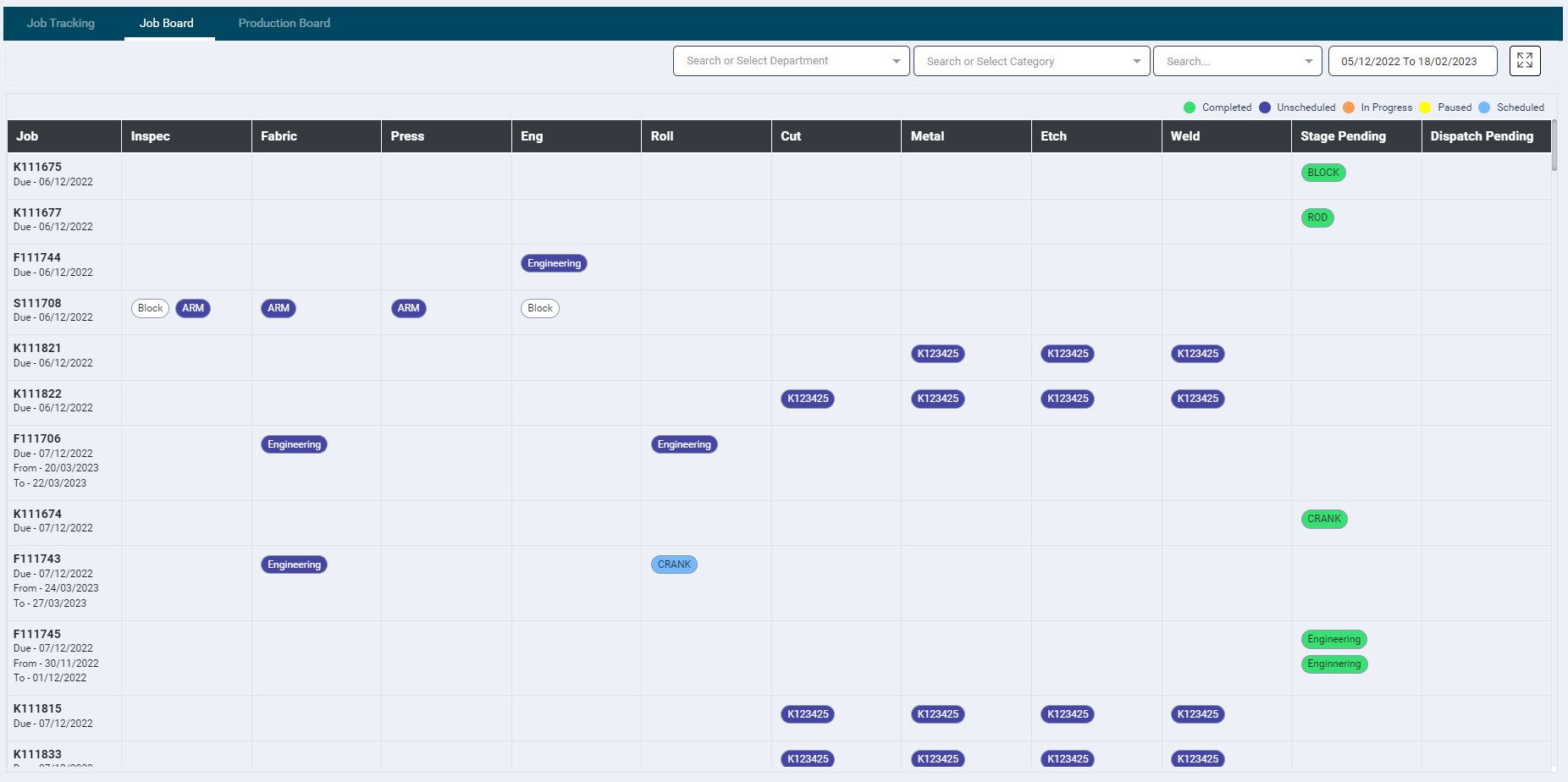
- The data displayed in this section is as per the filters and date range selection.
- The Expand
 icon will minimise the menu panel and display the data on full screen
 - The Collapse icon
 will reset the screen to normal view
 - The first column of the table lists all the job codes with their due date
- Other column heads display department names (or short names when provided) with Stage Pending and Dispatch Pending columns at the end
- The department column displays the components associated with each job code
- Hovering over the component names displays a tooltip providing it's on-track status of the component/operation preceded by the actual component status.
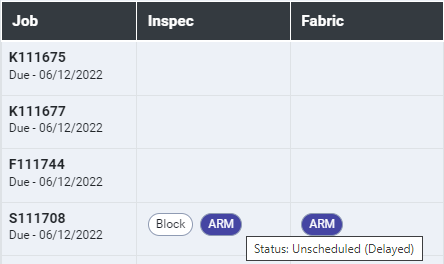
- The numerical value shown next to the component name represents the number of days by which the corresponding component job is delayed.
Filters
- The following filters are available at the top of the screen to further refine the information.
- Department: Search or Select the required departments (multiple values can be selected) from the dropdown list
- Category: Search or Select a required category (single value only) from the dropdown list
- Search: Enter key words to search data of a particular Job Code, Component, Operation, Customer Name, or any searchable Custom Job Fields
- Date: The data of any duration can be viewed by selecting the required dates from the date picker.