ETC Calculator
- This section provides a list of jobs whos due dates fall in the range of past 7 and future 7 days from the current date.
- The date filter allows to refine the data displayed in the table.
- The user can search records of a perticular Job Code, Customer Name or Order Number by entering key words in the Search box.
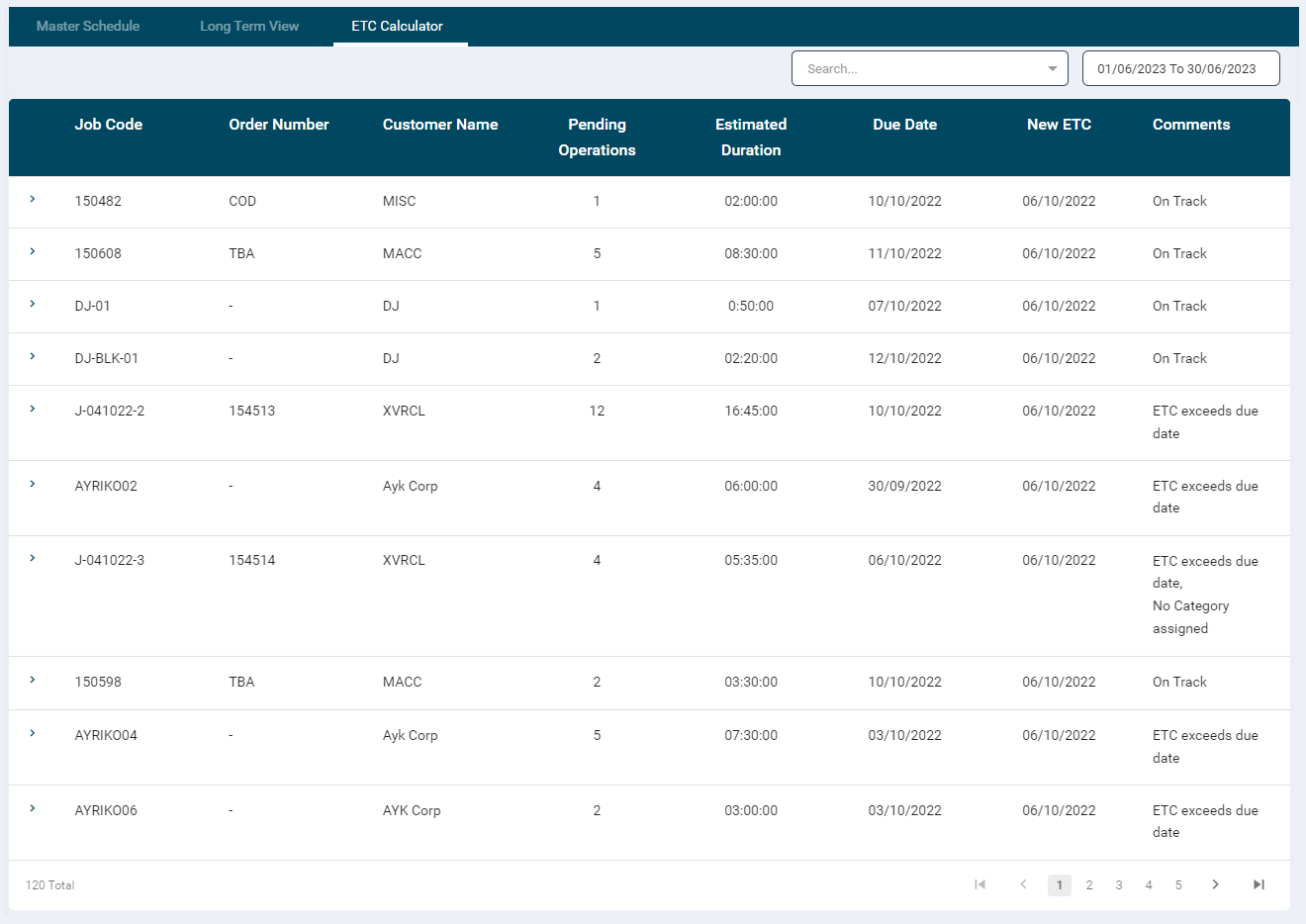
- When jobs are added to the portal (single or bulk upload), the ETC gets calculated based on available schedule slots.
- The user is automatically suggested the New ETC date.
- The user can update the Due Date based on the ETC date.
-
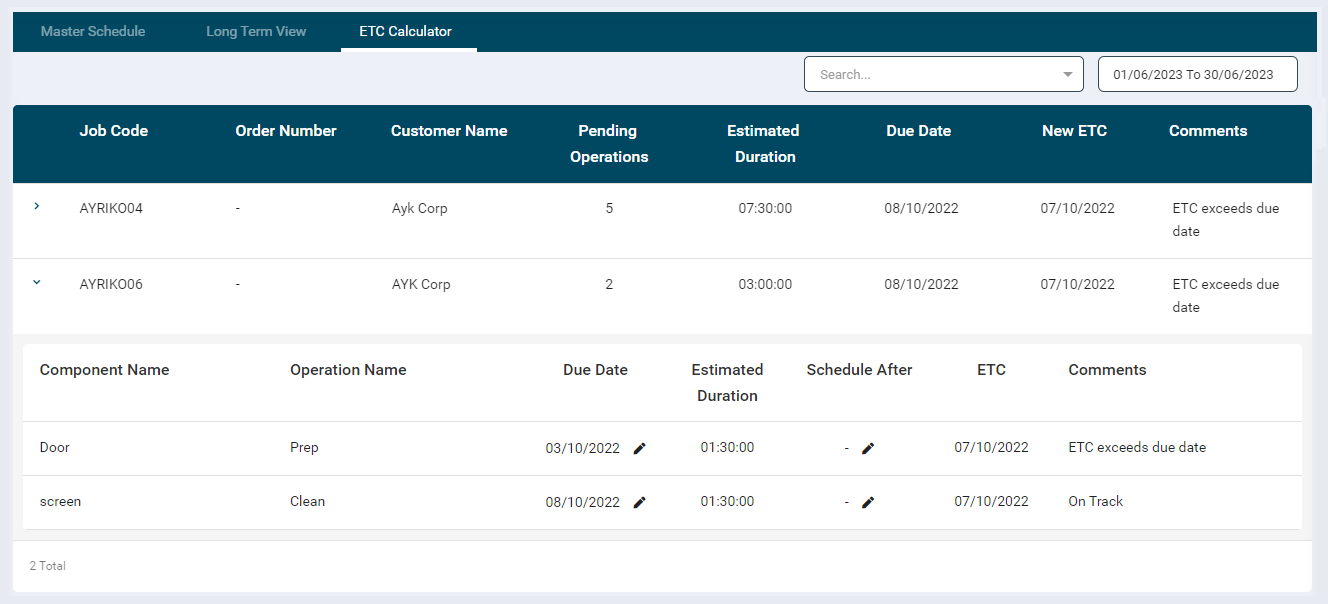
Each job record has an expandable table that displayes all details of its components.
- Component Name
- Operation Name
- Due Date
- Estimate Hours
- ETC
- Schedule After
- Comments
-
The user can modify the Due Date and enter date for Schedule After for all the components. The Schedule After date would be displayed only on this page.
- If the modified date falls out of the New ETC date, then that record will not be displayed in the table.