BoM Templates

- The Bill of Material Templates section allows you to add a collection of pre-defined templates.
- These templates streamline the production process, making it easier and more efficient to manage Bill of Materials for various jobs.
- These templats can then be linked to relevant jobs.
- Once linked, they will be made available on the ShopFloorControl tablet app used my the operator to enhance the job carried out.
- The listing grid privides the following information:
- Name
- Uploaded On
- Status: The BoM record can be made inactive, in which case it will no longer be available in job configurations
- Action: The user has the option to View, Edit or Delete a BoM record
New BoM Template
-
To add a new BoM Template, click on the Add Item button.
-
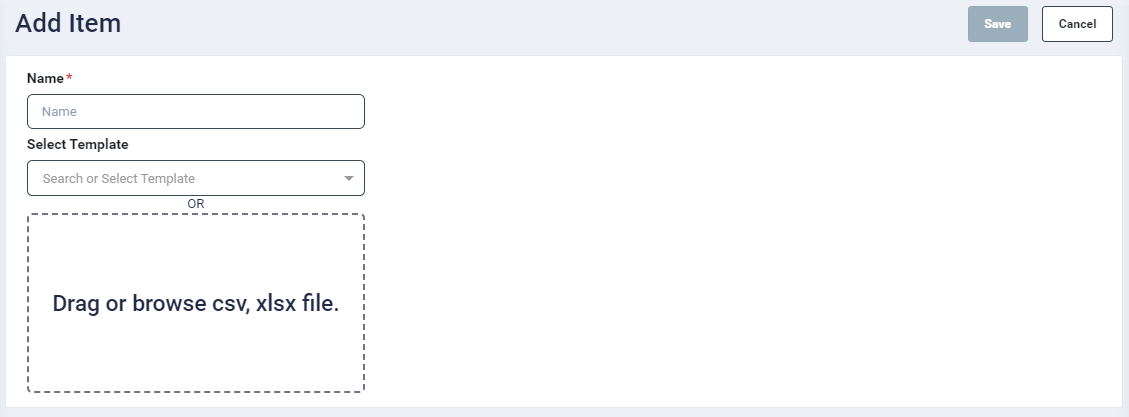
On the next screen, provide a template name.
- To create a new template, you have the option to select an existing template as a basis if needed. The template can then be edited from the listing screen.
- Or you can add a BoM file in the drop box provided on the screen. The file should be in CSV or Xlsx format.
- Click on the Save button. Once saved, it will get listed on the listing screen.